You get better when your tempo goes up
Accelerando remembers the tempo you last played cleanly for every passage. You focus on playing, the app keeps track.
Access by invitation only.

Why Accelerando
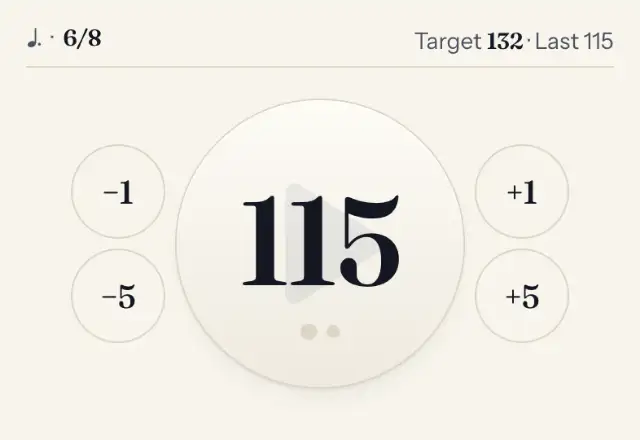
Nothing to remember
Your last tempo is already set
What tempo did you manage in the coda last week? Accelerando knows. One tap on the number and the metronome starts.
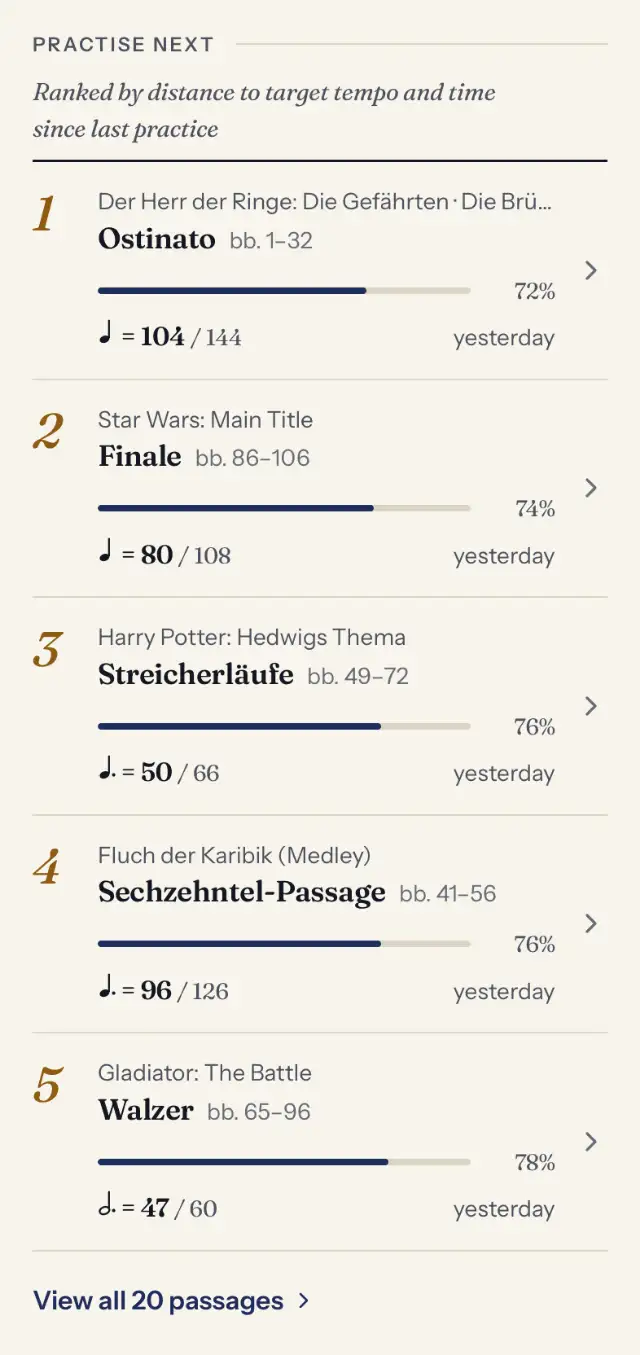
Clear priorities
You practise what moves you forward most
The app suggests passages that are furthest from their target tempo or have been left untouched the longest.
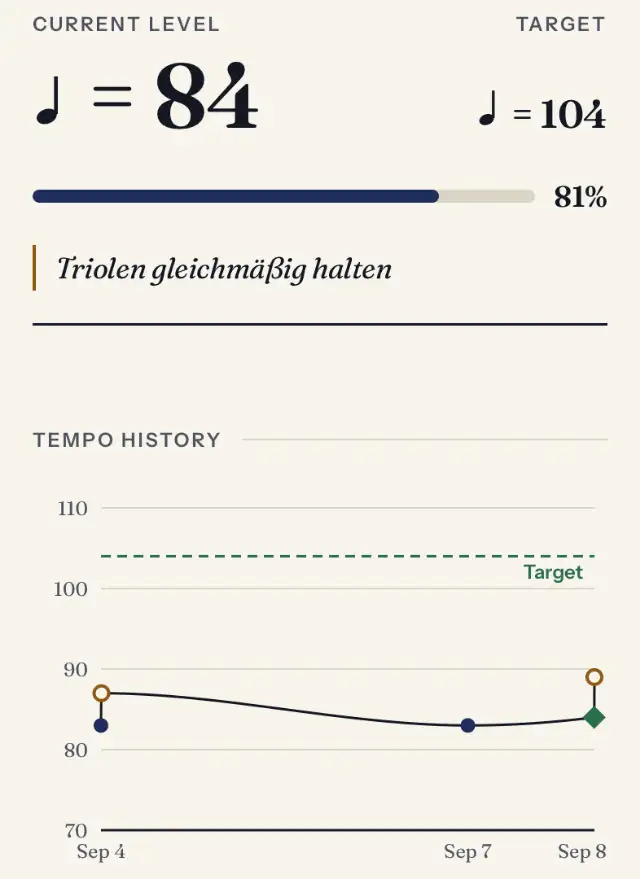
Visible progress
You see that every minute counts
A few beats faster, again and again: the tempo history shows each step towards your target tempo.
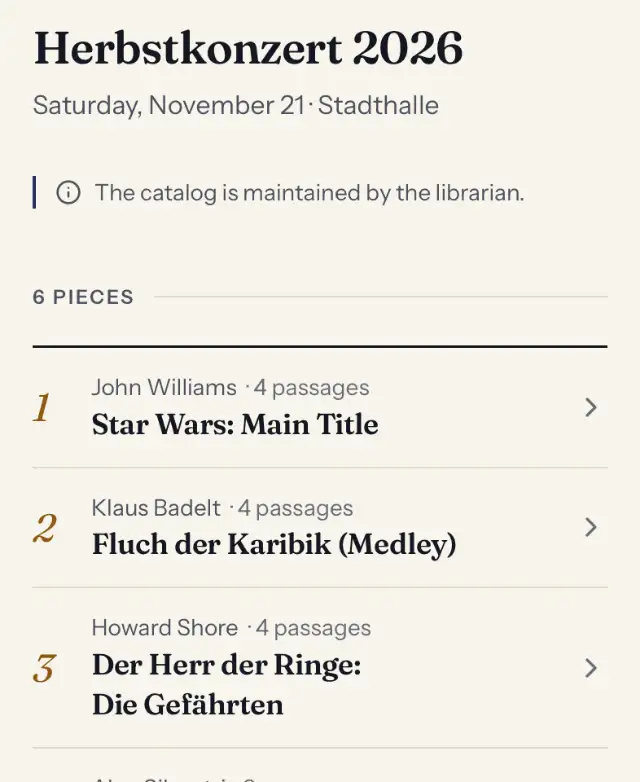
Exactly your programme
You practise exactly the current programme
Your orchestra maintains pieces, passages and target tempos. Only you see your entries, with no tracking or ads.


Sign-in
How to sign in
Enter your address
The address your invitation was sent to.
Tap the link in the email
It is valid for 15 minutes and only once.
Signed in
As long as you use Accelerando at least every 30 days, for at most 90 days.
Questions about signing in
Do I need a password?
No. You only enter your email address and receive a sign-in link. There is no password to remember or to be stolen.
How long is the link valid?
For 15 minutes and only once. After that, simply request a new one. As soon as you are signed in, older links become invalid.
The email has not arrived. What now?
Wait a minute or two and check your spam or promotions folder. Check the address: it must be the one your invitation was sent to. For security reasons there are at most five links per hour.
May I pass the link on?
No. Anyone who has the link can use it to sign in as you while it is valid. Keep your email account safe, it is your key.
How long do I stay signed in?
Until 30 days after you last used Accelerando, at most 90 days after signing in. On shared devices, sign out in your profile after practising.
What is an invitation?
Your orchestra’s administration invites you by email; the invitation link is valid for 7 days. Your account is active once you sign in for the first time.
No access yet?
Accounts are available by invitation only. Please contact your orchestra’s administration.
Sign in